
I was hit by a really really persistent piece of malware recently.
symptoms
1. When I try to sign in to a google service like this blog at blogger.com or gmail.com, i get redirected to a russian looking website (see pic below) after a "this certificate is expired something something" warning
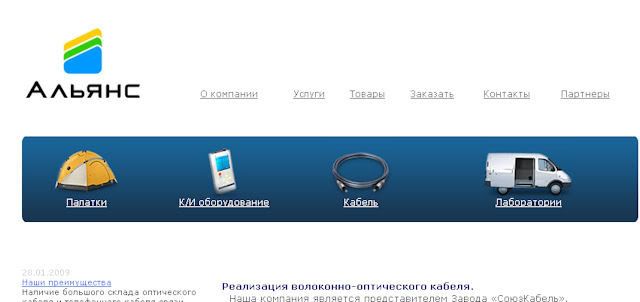
2. jdownloader doesnt work. I just see the java program in task manager. If i run jdownloader again I see 2 java's.
3. does not affect my desktop, only my laptop
4. switching ISP's from smart bro share it to pldt dsl doesnt work
5. IE, firefox and ff private browsing are also affected
Obviously this is limited to my laptop, probably malware.I just learned that this is called the google redirect malware or TDL3 rootkit (see the words in the picture at the top of this page).
I tried scanning with my av, found viruses on my laptop and on my readyboost flash drive. Spybot search and destroy is clean. Usually scanning in safe mode gets everything but this time it did not work.Still getting the symptoms.
I cleaned the HOSTS file. I emptied windows, firefox and IE temp files. I deleted cookies. Nothing worked. Fortunately tipidpc.com suggested that I try this program.
Hitman pro is 30 day trial ware. Its cloudware so it works by scanning your pc and looking for suspicious files and uploading them to a central server or something where 8 anti-malware programs check it out. So this does not work without an internet connection and it has all the advantages and disadvantages of cloud computing. Found 3 malwares:
c:\windows\system32\activedsa.exe
c:\hqpteg.exe
c:\windows\linkinfo.dll
i dont know which of the 3 was the culprit but whatever, blogger and jdownloader are now working.
THANKS TO EVERYONE WHO TRIED TO HELP ON tipidpc, pc experts and pcforums!!
I dont know if changing my AV to another one would help.
in reference to: Home - SurfRight (view on Google Sidewiki)


