Showing posts with label database. Show all posts

Monday, June 28, 2010

Automation of health care in Tarlac


I'm a surgeon and I'm a techie. Plus I took up a medical informatics course in UP PGH so I am
 familiar with electronic health records and databases and their advantages and disadvantages. I've heard of this system before.

Just want to share a warning from my teachers and from the principle of the free market. A lot of these information systems fail, specially in 3rd world countries.  And if the patients or the end users don't like to use it, then something is seriously wrong. If something is wrong with it, it will fail, just like any business in a free market. Paper is a very very good technology so computerization must be perfect very good for it to replace paper.

Some sources of failure for information systems
  • High initial cost
  • High recurring costs. Like something as banal as ink or paper.
  • Training problems
  • Users dont realize the importance of what they are doing
  • The system is designed for the convenience/needs of some other party like the health insurance companies or the top management. All involved parties must have a say. In this case, the doctors, the nurses, the interns and students, the patents and the clerks.
  • The system actually uses up more time and effort than paper. This is common if the system is only partially computerized so at the interface between new and old, people still have to print or write the output of the computer to paper. Another reason is duplication or retaining of old stuff along with new stuff. For example, you are supposed to enter the data only once but for legal reasons or for compatibility with other departments, you also need a paper logbook so you enter the data a second time manually in the logbook. So sometimes it pays to wait until you can fully computerize something.
I encountered a good example almost a decade ago about the last point, duplication and increased time/effort. Hospital with old fashioned paper system. Outside agency comes in and says, ok we'll start a computerized database of  among several hospitals. Problem is, they did not send a person to type all the data, they sent the CD only with some training. Since the old paper system is in place, someone has to RECOPY the data from paper records to the system, and this takes a heck of a lot of effort.


Phil Star

“Using 3G wireless technology, timely health information can be transmitted to health care workers, decision-makers and other stakeholders, resulting in happier, healthier communities,” added Orlando Vea, chief wireless advisor of Smart.
The initial beneficiaries of the project have been the patients and health workers at the rural clinics of the municipalities of Gerona, Moncada, Paniqui and Victoria where the Wireless Access for Health Project conducted its pilot phase. I
In these clinics, patient-handling is paperless — information regarding their health complaints or condition are directly keyed into the clinic database using netbooks and PCs.
For example, when Ana Llana, 44, a full-time housewife and mother of four, arrived at the Moncada Rural Health Unit 1 complaining about dizziness last week, clinic personnel quickly retrieved her electronic health records with a few key strokes. Her file showed that she has a history of high blood pressure that started three years ago after giving birth to her youngest child.
“Sasabihin ko ang pangalan ko tapos hahanapin lang nila sa computer. Madali lang (I just give them my name and they search for my file in the computer. It’s that simple),” Llana said.
Electronic medical record
The electronic medical record is accessible through any of the clinic’s eight netbooks - two at the admission, another two at the nurse station, and one each for the doctor, dentist, laboratory and the sanitary inspector.

Wednesday, January 13, 2010

My MS access EMR (electronic medical record)

You can download the file here.


It runs on MS access, i.e. it is a MDB file. I chose MS access because you can modify the heck out of it. Unfortunately since I dont know Visual basic I was not able to include fancy stuff like menus and searches.

I could have made it nicer and more user friendly by using HTML + PHP + mySQL but i'm rusty and its much harder to do.

When I created this, my aim was to make a quick and dirty electronic medical record for my clinic. This includes patients seen as outpatients and patients who are admitted. Since I am a surgeon, a section for operations is included.

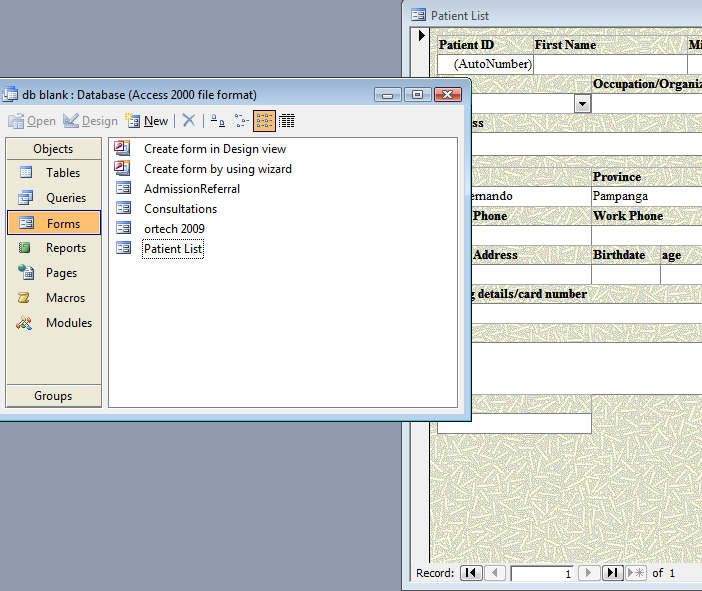
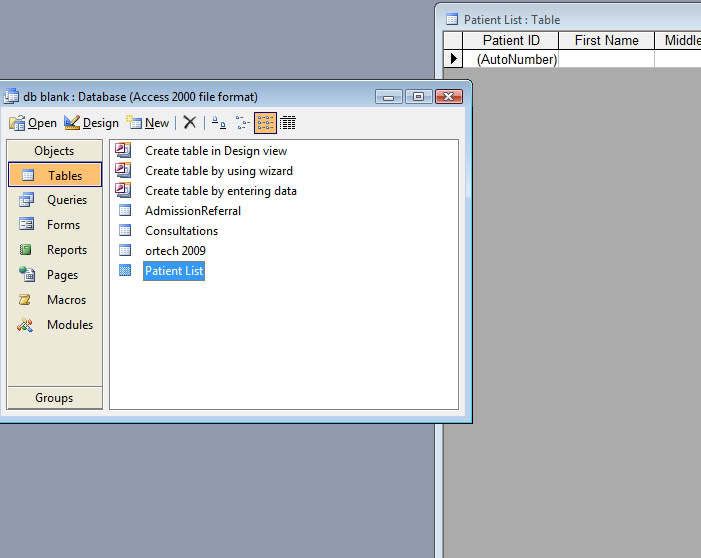
So this is the short how to get started manual. First make a new copy and keep the old copy around in case you want to undo your changes. Next you will see that it is divided into 4 tables: admissionreferral, consultations, ortech and patient list.

In general to add a new entry you use forms. I have set up the forms so that while in  forms you CANNOT see previously created entries. That way there is no chance of accidentally modifying or deleting stuff.


Use tables to edit or look at previously added entries. Unfortunately I dont have the programming expertise to show just one old entry.


If you are searching for a patient name, go to Queries. There you can see patients listed with first and last names and arranged via last name. Of course you can change this around. The most common change is to order it via first name. Unfortunately I dont have the programming expertise to make a real search form.

If you know how to use MS office, filling up the forms or editing the tables  is easy.

One feature about databases is the use of a primary key. Each entry has a unique number. In this case I've made it so that it is automatically created so even if 2 patients have the same name they have different keys. Each of the 4 databases has its own primary key. 

One design choice I made was to separate the personal data into one table and place the rest in other tables.So its like this. For a new patient, you first fill in the personal data. Next you go to either the consultation form if its an outpatient or the admission referral form if it is an inpatient. From the dropdown menu you will choose which patient is connected with this consultation or admission. I did this so that I would not have to make 2 entries if one patient was seen both as an outpatient and as an inpatient. This is a standard technique in databases, avoiding duplicate entries. If you ever filled up paper forms before, its a drag to have to input the same data like name and address over and over. Its a heck of a time saver. Imagine if a patient was seen multiple times and you ahd to type his name and address again and again.

So I hope you find this useful.


OK, the links expired, I've re uploaded the file HERE 

UPDATE: file sharing isnt working out for me here because the links might expire. I've uploaded a slightly improved version to gogle docs (ZIP format compressed) HERE. It's p4ssword protected. The p4ssword is ***sardines. Replace each * with 5. Since this is Google Docs, you need to be registered with google to access it. You can use your gmail or blogger password as they all use the same account.


re uploading again, no password for the RAR file. http://mir.cr/1PTYDUVK

projectwonderful adszz

Nuffnag Adzz

Slashdot It

Followers